Google's 4 Android Gaming Upgrades for Windows PC Users
Gaming just got more flexible. Google's latest Android upgrades let you seamlessly switch between your phone and Windows PC, picking up exactly where you left off on any device.

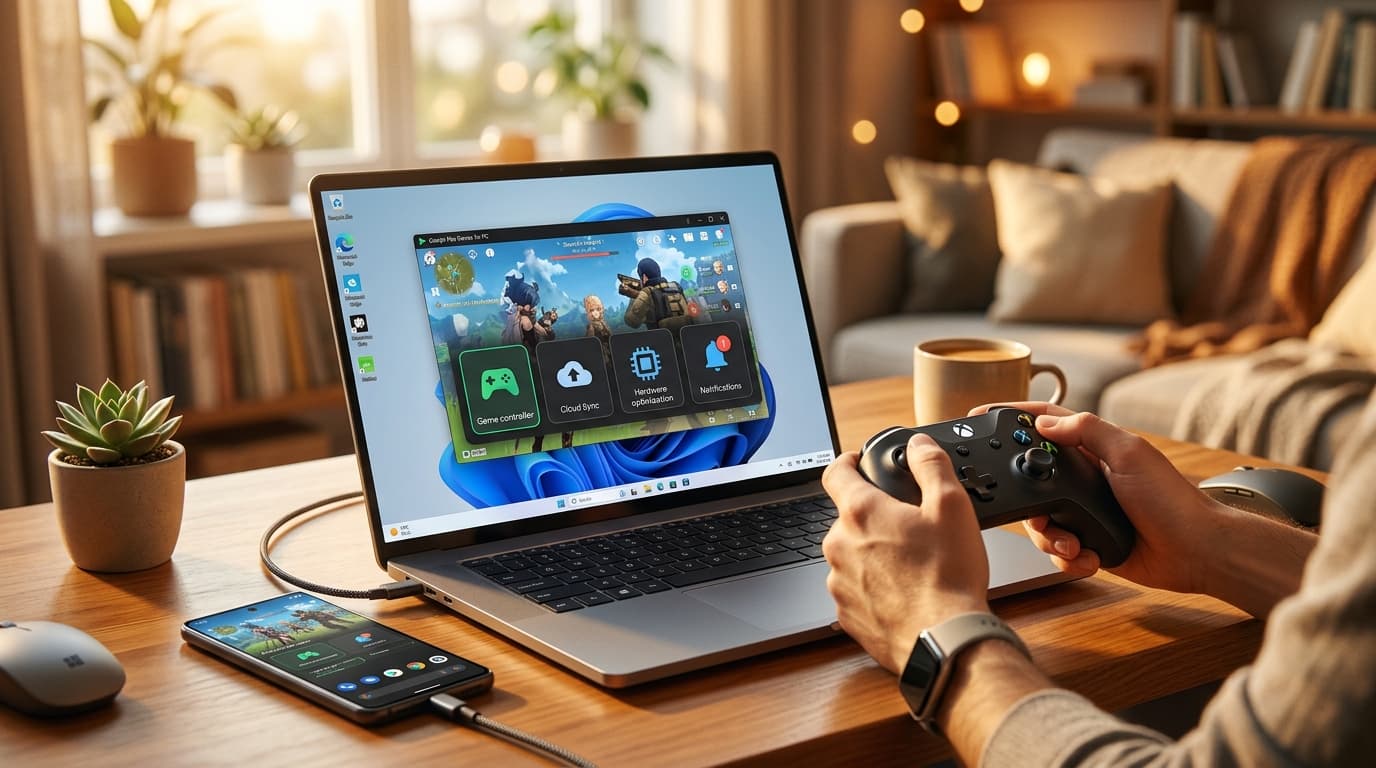
Google's Android Gaming Upgrades for Windows PCs: What Changed in 2024?
Learn more about youtube wants your help identifying ai slop on its platform
Gaming on your phone during your commute and switching to your PC at home just got seamless. Google recently rolled out four major upgrades to Android gaming on Windows PCs, transforming how millions of gamers experience their favorite mobile titles. These updates bridge the gap between mobile and desktop gaming, letting you pick up exactly where you left off, regardless of which device you're using.
These improvements represent a fundamental shift in how we integrate gaming into our daily routines. They make it easier to balance entertainment with busy lifestyles.
What Are the Four Major Android Gaming Upgrades for Windows?
Google's latest updates focus on creating a unified gaming experience across devices. The company recognizes that modern lifestyles demand flexibility, and these upgrades deliver exactly that.
The first upgrade introduces seamless game state synchronization. Your progress, settings, and achievements now transfer instantly between your Android phone and Windows PC. Start a puzzle game during lunch, then continue solving it on your computer after work without missing a beat.
The second enhancement improves performance optimization for Windows hardware. Games now run smoother on PCs, taking advantage of your computer's processing power while maintaining the mobile gaming experience you love.
How Does Cloud Save Integration Work Across Devices?
Cloud saves have existed for years, but Google's implementation takes it further. The system now syncs in real-time, eliminating the frustrating wait times that plagued earlier versions.
Your game saves automatically upload to the cloud within seconds of pausing. When you open the same game on another device, it downloads your latest progress before you even notice. This happens in the background, requiring zero effort from you.
The upgrade supports over 2,000 popular Android games at launch. Developers can easily integrate this feature into their existing titles through Google Play Games services.
What Graphics Improvements Come with Windows Gaming?
Google optimized how Android games render on Windows PCs. The system now recognizes your PC's graphics card and adjusts settings automatically for the best visual experience.
Games that looked decent on your phone now shine on a larger monitor. The upgrade supports higher resolutions and frame rates, making action games feel more responsive and adventure games look more immersive.
For a deep dive on iphone 18 pro camera may get pro software after halide talks, see our full guide
This optimization doesn't require manual configuration. The system detects your hardware capabilities and applies the ideal settings, letting you focus on playing rather than tweaking options.
How Does Cross-Platform Gaming Fit Your Lifestyle?
For a deep dive on don't turn child protection into internet access control, see our full guide
The ability to switch between devices transforms gaming from a stationary activity into something that adapts to your schedule. This flexibility aligns perfectly with modern lifestyle needs.
Consider your typical day. You might play a strategy game during your morning coffee, continue during your lunch break, then finish your session on your PC in the evening. These upgrades make that seamless transition possible without losing progress or momentum.
Can You Game Effectively During Travel and Commutes?
Travel time no longer means gaming downtime. Play on your phone during flights or train rides, then resume on your PC when you reach your destination.
The synchronization works even with spotty internet connections. Your progress saves locally and uploads when connectivity improves. This reliability makes gaming a viable entertainment option during any journey, whether you're traveling for work or leisure.
Many professionals now use gaming as a stress-relief tool during business trips. These upgrades make it practical to maintain your gaming routine regardless of location.
Does Cross-Platform Gaming Support Personal Development?
Gaming doesn't have to compete with your personal growth goals. The flexibility of cross-platform play lets you fit entertainment into your schedule without sacrificing productive time.
Take short gaming breaks on your phone between work tasks, then enjoy longer sessions on your PC during designated relaxation time. This balanced approach prevents gaming from consuming entire evenings while still providing the mental break you need.
Educational and puzzle games particularly benefit from this setup. Practice language learning games on your commute, then dive deeper into lessons on your PC at home.
Which Games Work Best with Cross-Platform Features?
Not all games benefit equally from cross-platform play. Certain genres and play styles work better with the seamless device switching Google now offers.
What Game Categories Excel on Cross-Platform?
Strategy and puzzle games top the list for cross-platform compatibility. These games naturally support quick sessions on mobile and extended play on PC.
Best game types for device switching:
- Turn-based strategy games that save after each move
- Puzzle games with level-based progression
- Role-playing games with frequent auto-save features
- City-building and simulation games
- Card and board game adaptations
Action games and shooters also work well, though they require stable internet connections for the best experience. The improved performance on Windows makes these genres more enjoyable than ever on PC.
Which Games Should You Avoid for Cross-Platform Sessions?
Real-time competitive games present challenges for device switching. Jumping between phone and PC mid-match disrupts your team and affects your performance.
Games requiring precise touch controls may feel awkward when transitioning to keyboard and mouse. While Google's upgrades handle the technical aspects smoothly, the gameplay experience might suffer from control scheme differences.
How Do You Set Up Android Gaming on Windows PC?
Getting started requires minimal technical knowledge. Google designed the setup process to be straightforward, even for users who aren't tech-savvy.
First, download Google Play Games from the official website onto your Windows PC. The application requires Windows 10 or newer and at least 8GB of RAM for optimal performance.
Sign in with the same Google account you use on your Android phone. This connection enables the synchronization features that make cross-platform gaming possible.
What Are the Installation Steps and System Requirements?
The installation process takes about 10 minutes on most systems. Your PC needs a solid-state drive for the best loading times, though traditional hard drives work acceptably.
Minimum system requirements:
- Windows 10 (64-bit) or Windows 11
- Intel Core i5 processor or equivalent
- 8GB RAM (16GB recommended)
- 10GB available storage space
- Graphics card with OpenGL 4.2 support
After installation, browse the game library and install titles you already own on Android. Your purchases and progress transfer automatically, so you won't need to buy games twice or start over.
How Can You Optimize Your Gaming Experience?
Adjust your PC's power settings to "High Performance" mode when gaming. This ensures your system dedicates full resources to running games smoothly.
Connect your PC to ethernet rather than Wi-Fi when possible. Wired connections provide more stable synchronization between devices, reducing the chance of progress loss.
Close unnecessary background applications before launching games. This frees up system resources and prevents lag or stuttering during gameplay.
What Does This Mean for Mobile Gaming's Future?
Google's upgrades signal a broader industry shift toward device-agnostic gaming. The lines between mobile, PC, and console gaming continue to blur as technology improves.
Developers now have stronger incentives to create games that work well across multiple platforms. This trend benefits gamers by expanding the library of high-quality titles available for cross-platform play.
The lifestyle implications extend beyond entertainment. As gaming becomes more flexible and integrated into daily routines, it evolves into a legitimate wellness tool for stress management and mental stimulation.
How Do These Upgrades Impact Work-Life Balance?
These upgrades make it easier to maintain healthy boundaries between work and play. Quick gaming sessions on your phone provide mental breaks during workdays, while PC gaming offers deeper relaxation during personal time.
The key is using this flexibility intentionally rather than letting gaming bleed into productive hours. Set specific times for longer PC gaming sessions and use mobile gaming for brief, refreshing breaks.
Many users report improved focus and reduced stress when they incorporate short gaming breaks into their routines. The ability to seamlessly switch devices supports this healthy approach to gaming.
Transform Your Gaming Experience with Cross-Platform Play
Google's four major upgrades to Android gaming on Windows PCs transform mobile gaming into a truly flexible lifestyle activity. Seamless synchronization, enhanced performance, cloud integration, and optimized graphics work together to create an experience that adapts to your schedule rather than demanding you adapt to it.
These improvements make gaming more accessible for busy professionals, frequent travelers, and anyone seeking better work-life balance. You can now enjoy your favorite games whenever and wherever it fits your lifestyle, picking up exactly where you left off regardless of which device you're using.
Continue learning: Next, explore grafeo: fast embeddable graph database built in rust
The future of gaming is clearly multi-device, and Google's latest upgrades prove that technology can enhance rather than complicate our daily lives. Whether you're a casual player or dedicated gamer, these updates offer practical benefits that make gaming a more integrated and enjoyable part of modern living.
Related Articles
AI's Role in Unveiling ICE Officers' Identities
AI unmasking ICE officers underscores a shift towards transparent law enforcement, raising questions about privacy and ethics in the digital age.
Sep 2, 2025

Quantum Leap: Room Temp Superconductors Unveiled
Discover the groundbreaking world of room temperature superconductors and their potential to revolutionize quantum computing and technology.
Sep 6, 2025

Anthropic's $1.5B Settlement: A Turning Point for AI & Authors
Anthropic agrees to a $1.5B settlement with book authors, highlighting the complex relationship between AI development and copyright laws.
Sep 6, 2025